Car Play Link
FlavappLibraries & Demo
3.5229.00 Reviews
- Version
- 41.0
- Installs
- 500.00K
- Age Rating
- Everyone
Screenshots
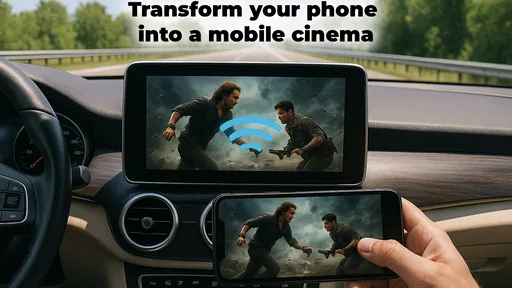
Our Review of Car Play Link
 Analysis by Appyee
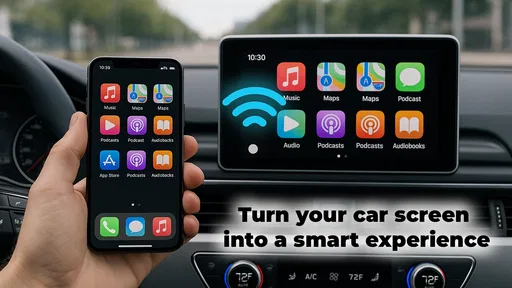
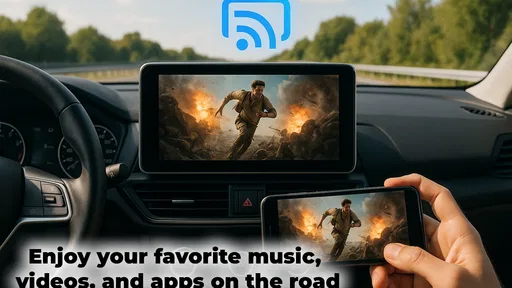
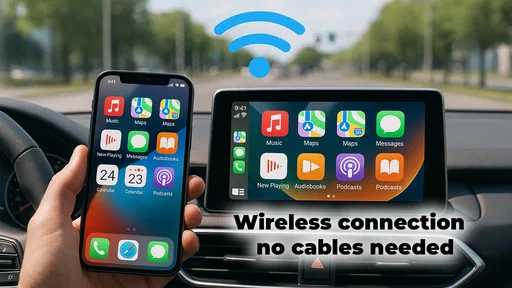
I approached Car Play Link as a practical phone-to-car connection tool rather than as a full replacement for a vehicle’s built-in system. Its purpose is straightforward: bring wireless CarPlay and Android Auto-style features together with phone mirroring, so the phone can act as the source of the driving interface. In everyday use, that makes the app most interesting to people whose cars or head units need an extra bridge between the phone and the dashboard.
What stood out to me is that the app sits in the Libraries & Demo section, yet its usefulness is very hands-on. It is not an entertainment app that I would open casually. I would install it because I want a particular connection workflow in the car, and then judge it by how quickly I can get from the phone screen to a usable dashboard experience. That distinction matters: this is a utility for a specific situation, not a general-purpose driving companion.
How the app feels to read and navigate
The first thing I look for in a car-connectivity app is whether the main path is obvious. A driver should not have to explore several menus while parked just to understand whether the phone is ready to connect. In that respect, the appeal of this app is its focused purpose. The name, the store summary, and the short description all point toward the same task, so I do not have to guess why it is installed.
That clarity is especially useful for people who prefer simple, predictable interfaces. Someone with limited technical confidence can approach it with a clear question: do I want wireless CarPlay, Android Auto features, or phone mirroring? Keeping those choices mentally separate helps. Wireless dashboard access is about using supported driving-oriented functions, while mirroring is about showing the phone’s display through the car setup. They may feel similar from the user’s seat, but they serve different needs.
I would still recommend setting everything up before driving. Even a clean interface becomes difficult to interpret when the vehicle is moving, the phone is in a holder, and attention is divided between traffic and the screen. The best workflow is to open the app at home or while parked, identify the connection route, and leave the phone ready before starting the journey. That is not merely good driving practice; it also makes the app feel more reliable because fewer variables are changing at once.
For readers who rely on larger text, strong contrast, or magnification, the practical question is not only whether the app displays information clearly. It is whether the connected dashboard remains readable from the driver’s normal position. The phone may be easy to read in the hand but less comfortable once mirrored or placed at a distance. I would test the complete chain—phone, app, car screen, and viewing angle—in daylight and at night rather than judging the app from the phone alone.
One useful habit is to prepare a small personal checklist: wireless connection enabled, the correct vehicle display selected, the phone positioned securely, and the desired navigation or audio app already ready. This reduces the amount of small text and menu hunting required after the car is moving. It also helps users who find rapid visual switching tiring or who need extra time to process unfamiliar screens.
Why the connection type matters
People often use “mirroring” and “Android Auto” as if they mean the same thing, but they do not always produce the same interaction. A driving interface is usually easier to manage at a glance because it is designed around larger controls and limited distractions. Mirroring can be more flexible, but that flexibility may also expose a busier phone screen. I see this as the app’s central trade-off: it can make the phone more useful in the car, but the final experience depends heavily on how the vehicle handles the displayed content.
If your priority is navigation, calls, and audio with minimal visual clutter, I would start with the driving-oriented route. If your priority is seeing a particular phone workflow on the vehicle display, mirroring may be the more relevant option. I would not assume that one mode is automatically better for everyone. The right choice depends on the screen size, the driver’s vision, the phone’s layout, and how much interaction is needed during a trip.
Motor, sensory, and cognitive considerations
Car Play Link can be useful for people who find reaching for a phone awkward in the car. Moving the relevant display into a fixed dashboard position may reduce the need to hold the phone, turn it repeatedly, or search for it in a pocket or console. For someone with limited hand movement, tremor, or discomfort maintaining a grip, that change in position can make the overall setup less demanding.
There is an important limitation, though: the app does not remove the need for physical interaction altogether. Connecting a device, accepting a prompt, changing a setting, or recovering from a failed session may still require tapping the phone or the car display. I would perform those actions while parked, then avoid treating the app as a reason to interact with the phone during the journey.
Users with visual sensitivities may appreciate a stable dashboard location more than a handheld screen that moves with the driver. A fixed display can reduce the need to refocus between different distances. On the other hand, mirroring a phone can create more visual information than a simplified car interface. If bright colors, dense layouts, or rapid changes are uncomfortable, the driving-focused display is likely the calmer starting point, provided the vehicle presents it clearly.
For people with hearing loss, the value of a visual dashboard can be significant because important phone activity is not confined to sound. A visible route, call state, or media control may be easier to notice than an audio cue alone. I would still treat the app as a visual aid rather than assume that every alert or status change will be equally prominent on every car screen. The car’s own display behavior remains part of the experience.
Cognitive load is another area where the app can help or hinder. The benefit is consolidation: instead of switching between a phone in the hand and a separate car control, the user may be able to keep the relevant interface in one dashboard location. The risk is that mirroring can bring too many phone functions into view. My practical recommendation is to prepare the phone before departure, close anything unnecessary, and use the least complicated connection mode that meets the trip’s needs.
There is also a useful distinction between setup accessibility and driving accessibility. A person may be able to configure the app comfortably at a table but struggle to read the result from the driver’s seat. Conversely, a large vehicle display may be easy to see once connected while the initial phone pairing is difficult. Testing both stages separately gives a much more honest picture than simply asking whether the app “works.”
A realistic daily scenario
Imagine leaving work after a long day, with the phone already carrying the route home and a podcast queued. I would connect the phone while still parked, check that the car display shows the intended interface, and place the phone where it will not need to be touched. During the drive, the main advantage is not a flashy feature; it is avoiding repeated handling of the phone. If the connection remains stable, the dashboard becomes the central point for the journey.
Now imagine the same trip with a passenger who has low vision. The passenger may prefer the phone’s larger display for preparation, while the driver benefits from the dashboard view once the route starts. In that situation, I would not mirror every phone screen automatically. I would choose the display mode that keeps the driver’s information simple and let the passenger handle any more detailed phone interaction while the car is stopped.
For a user with limited dexterity, another sensible routine is to keep a short cable or alternative connection method available in the vehicle, even when the goal is wireless use. That is not a criticism unique to this app; wireless systems can be affected by the phone, the car, and the surrounding setup. A backup reduces the need for repeated troubleshooting at an inconvenient moment.
Access in different places and driving contexts
The app makes the most sense for people who regularly move between a phone and a compatible car display. It may be useful in an older vehicle with an aftermarket head unit, in a shared family car, or for someone who wants a consistent phone-centered routine across different trips. The free price also lowers the risk of trying it, which is helpful when the real question is whether the user’s particular phone-and-car combination behaves well.
That said, free does not mean frictionless. Compatibility is a practical matter involving the phone, the vehicle, the display unit, and the connection method. I would not install it immediately before an important long-distance drive. Instead, I would test it in the exact car, with the exact phone, while parked, and repeat the test after restarting both devices. This catches problems that a quick one-time connection can hide.
People who drive in bright sunlight should inspect the dashboard from the normal seat rather than from the passenger side. Glare can make small controls difficult to distinguish, and a display that looks fine indoors may be tiring outdoors. Night driving creates the opposite concern: a bright mirrored phone screen may be distracting even if it is technically readable. Lowering screen brightness and relying on a simpler driving view, where possible, is a more comfortable approach.
Shared vehicles create another consideration. If several people use the same car, the connection routine should be easy to understand without requiring one person to remember every step. I would label the preferred phone settings mentally, keep the app updated, and avoid changing options just before another driver needs the vehicle. A simple handover routine is particularly useful for older relatives or anyone who does not use wireless phone features often.
For passengers, mirroring can be more appealing because they may want to view or control phone content on a larger screen. The driver’s needs are different. I would be cautious about treating a passenger-friendly display as automatically appropriate for the person behind the wheel. The app can support different contexts, but responsible use still depends on keeping driving tasks visually and physically limited.
Where it compares with usual alternatives
The usual alternative is the car’s native system, if it already provides the required wireless connection. A built-in solution may feel more integrated and may require less experimentation. If your vehicle already offers a dependable version of the functions you need, adding another app may not improve the experience.
Another alternative is a wired connection. It is less convenient because the phone must remain physically connected, but it can be a sensible fallback when wireless pairing is inconsistent. For some users, the cable is also easier to understand: plug in, check the display, and drive. People who value predictability over a cable-free setup may prefer that routine.
A third option is using the phone on a secure mount without any dashboard mirroring. That can be enough for basic navigation and audio, especially when the vehicle screen is small or awkwardly positioned. The advantage is fewer connection layers. The disadvantage is that the phone remains a separate device in the driver’s field of view, and some users may find its controls less comfortable than a larger integrated display.
Car Play Link is therefore most attractive when the existing setup is missing a desired wireless bridge or when phone mirroring solves a specific display problem. It is less compelling for someone who already has a smooth built-in system and does not need to show phone content on the car screen. In my view, the app should be chosen for a clear gap, not installed simply because wireless connectivity sounds convenient.
Remaining barriers and practical limits
The biggest barrier is that the app cannot control every part of the final experience. The phone may connect successfully while the car display remains difficult to read, the controls feel too small, or the vehicle’s interface handles mirrored content awkwardly. That means accessibility is partly outside the app itself. I would judge the complete setup, not just the installation screen.
Another barrier is recovery. Any connection tool needs a clear answer to the question, “What do I do when it does not appear?” If the user has to restart several devices, move through unfamiliar menus, or reconnect while under time pressure, the experience can become inaccessible even for someone who had no difficulty during the first setup. I recommend learning the recovery routine while parked and keeping a non-wireless fallback available.
People who need very large controls, screen-reading support, or highly customized visual presentation should be cautious about assuming that mirroring will solve everything. Mirroring reproduces a phone experience; it does not automatically redesign every screen for a particular ability. The phone’s own accessibility settings may help, but the displayed result still needs to be checked on the vehicle screen.
There is also a safety boundary that I would not compromise. The app should not become a reason to watch videos, browse unrelated content, or make frequent manual adjustments while driving. Even if a mirrored screen makes those actions technically visible, visibility is not the same as suitability. For a driver, the strongest use case is a prepared, low-interaction setup.
Finally, the app’s public reception is mixed rather than universally enthusiastic. It has an average rating of 3.5 from around ten thousand ratings, with over five hundred thousand installs, so there is meaningful interest but also a reason to keep expectations realistic. I read that combination as a prompt to test compatibility carefully instead of assuming a perfect experience in every vehicle.
Who should try it and who should skip it
I would recommend trying Car Play Link if you have a clear need for wireless CarPlay or Android Auto-style access, want to experiment with phone mirroring, and are willing to test the setup in your own vehicle. It is also a reasonable option for users who prefer the phone to be the source of their navigation and media routine but want those functions placed on a dashboard display.
I would be more hesitant to recommend it to someone who needs guaranteed simplicity, already has a reliable built-in system, or cannot comfortably troubleshoot a connection problem. In those cases, a native car interface or a straightforward wired setup may be better. The same applies to drivers who need extensive visual customization: the app may move the phone’s content to the car, but it cannot promise that every mirrored screen will be ideal for every user.
The app is free, aimed at Everyone, and maintained by Flavapp. It was released on September 19, 2020, and the current version is 41.0, with support beginning at Android 7.0. Those details make it approachable for people using an older Android phone, although the real test remains the complete connection between that phone and the vehicle. I would check the phone’s operating system before planning a setup, then test the actual car rather than relying only on the age of the device.
One final tip is to separate “can connect” from “can use comfortably.” First confirm that the phone and car recognize each other. Then sit in the driver’s seat, adjust the phone and display position, test daylight and nighttime viewing, and try the controls without moving the vehicle. This second stage is where many practical accessibility problems become visible.
My inclusive verdict
My overall view is cautiously positive. Car Play Link addresses a real need by bringing wireless car-oriented phone features and mirroring into one focused app. Its strongest value is not that it transforms every vehicle into a perfect smart cockpit, but that it may close a specific gap between a phone and a car display without adding a purchase cost.
For accessibility, I see useful possibilities: less phone handling, a more fixed viewing position, and a choice between a driving-oriented display and broader mirroring. I also see clear boundaries. Screen readability, touch demands, recovery steps, and the behavior of the vehicle’s display can still create barriers, especially for users with visual, motor, sensory, or cognitive needs.
The best reason to install it is a specific connection problem you want to solve, not a vague promise of convenience. Test it while parked, choose the least distracting mode, prepare the phone before moving, and keep a fallback for important journeys. With those expectations, this free app is worth exploring for the right car-and-phone combination. Without that willingness to test, the native system or a simple wired alternative may provide the calmer and more inclusive experience.
Verdict
Strengths of Car Play Link
- Quickly mirrors compatible phone content on supported car screens.
- Simple interface makes connecting and starting playback straightforward.
- Useful for accessing navigation apps while keeping the phone mounted away.
- Supports hands-free calling and media control in compatible vehicles.
- Can make older compatible cars feel more connected without replacing the head unit.
Limitations of Car Play Link
- Compatibility varies widely by phone, vehicle, and infotainment system.
- Some features may require extra permissions or a wired USB connection.
- Connection stability can depend on cable quality, Bluetooth, and vehicle hardware.
- Mirroring may be limited for certain apps to reduce driver distraction.
- The app may not work correctly with unofficial or aftermarket car systems.
Similar Picks in This Category
View All
PGT: GFX, Launcher & Optimizer
Trilokia Inc.4.5

AusweisApp Bund
Governikus Service GmbH3.7

Cardboard
Google LLC3.2

Gamers GLTool with Game Tuner
Trilokia Inc.4.5

Multi Web Chat - Read Secretly
World Scan & Cleaner3.8

App Cloner Premium & Add-ons
App Listo1.9
Frequently Asked Questions
What is Car Play Link, and what does it do?
Car Play Link is an app designed to help connect a compatible smartphone with a vehicle’s infotainment system, typically through Apple CarPlay or a similar phone-linking feature. Depending on the car, phone, and available hardware, it may provide access to navigation, music, calls, messages, and other supported services on the vehicle display. Its exact features can vary by device and car model.
Is Car Play Link compatible with every Android phone, iPhone, or car?
No. Compatibility depends on the vehicle’s infotainment system, the phone’s operating system and model, the connection method, and whether the car supports Apple CarPlay, Android Auto, or another mirroring standard. Before downloading, check the app listing and your vehicle manual for supported requirements. Some cars may also require a USB data cable, wireless capability, or an additional adapter.
How do I connect Car Play Link to my vehicle?
After installing the app, enable Bluetooth, Wi-Fi, and any required permissions on your phone, then start the pairing process from the car’s infotainment screen. For wired connections, use a reliable USB data cable rather than a charge-only cable. Follow the prompts shown on both devices and keep the vehicle parked during setup. The first connection may take longer than later automatic connections.
Does Car Play Link require an internet connection or use mobile data?
The connection between your phone and the car may work through USB, Bluetooth, or Wi-Fi, but many services accessed through the vehicle screen still depend on an internet connection. Navigation, streaming music, traffic updates, and messaging features can use mobile data unless the relevant content is available offline. Data consumption varies according to the apps used, call duration, and map or media activity.
Is Car Play Link safe to use while driving?
Car Play Link can make selected phone functions easier to access through a vehicle display, but it should never encourage distracted driving. Set up the connection, navigation route, and music before moving, and use voice controls whenever possible. Avoid handling the phone while driving, follow local traffic laws, and remember that compatibility or connection problems should be resolved only after safely pulling over.
